case 01 / 05live
Novi Kvadrat
A five-language property platform for Serbia, built end to end.
- role
- Sole designer and developer, end to end, in a core team of four
- period
- since Dec 2025
- client
- Novi Kvadrat Group DOO
- platforms
- web · installable PWA · iOS in development
- credit
- Design & Development by SecretoCho for Novi Kvadrat Group DOO
- public
- novikvadrat.rs
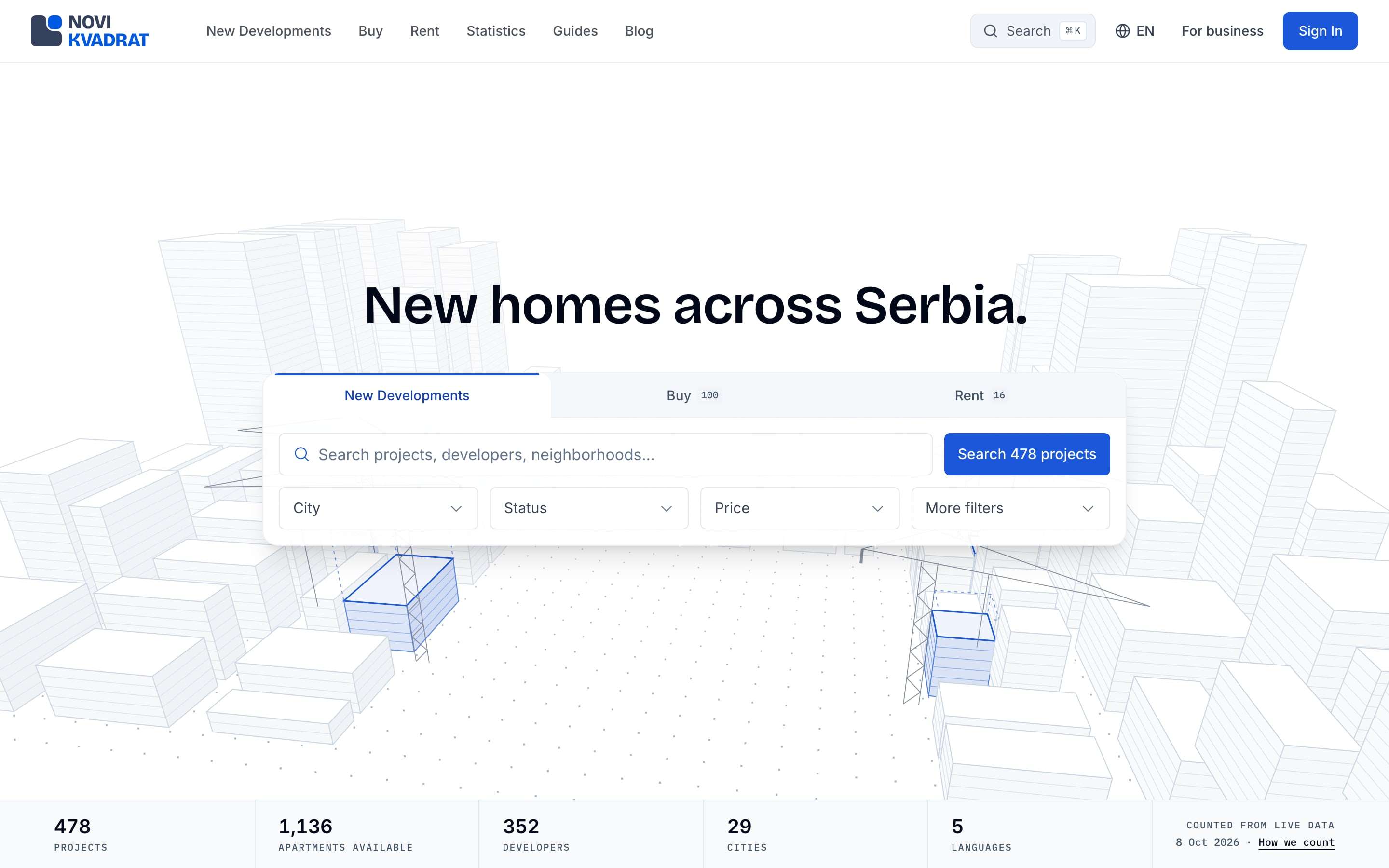
at a glance
- Marketplaces for new builds, resale and rent, a business portal and an admin console, in one Next.js app.
- Five languages, each with its own URLs and about 17,000 strings.
- Security lives in the database: row-level security on every table, authorization that denies by default.
- In-browser studios turn a scanned plan into rooms and raise map buildings into storeys.
- Built in waves of AI agents, with tests that were tested themselves.
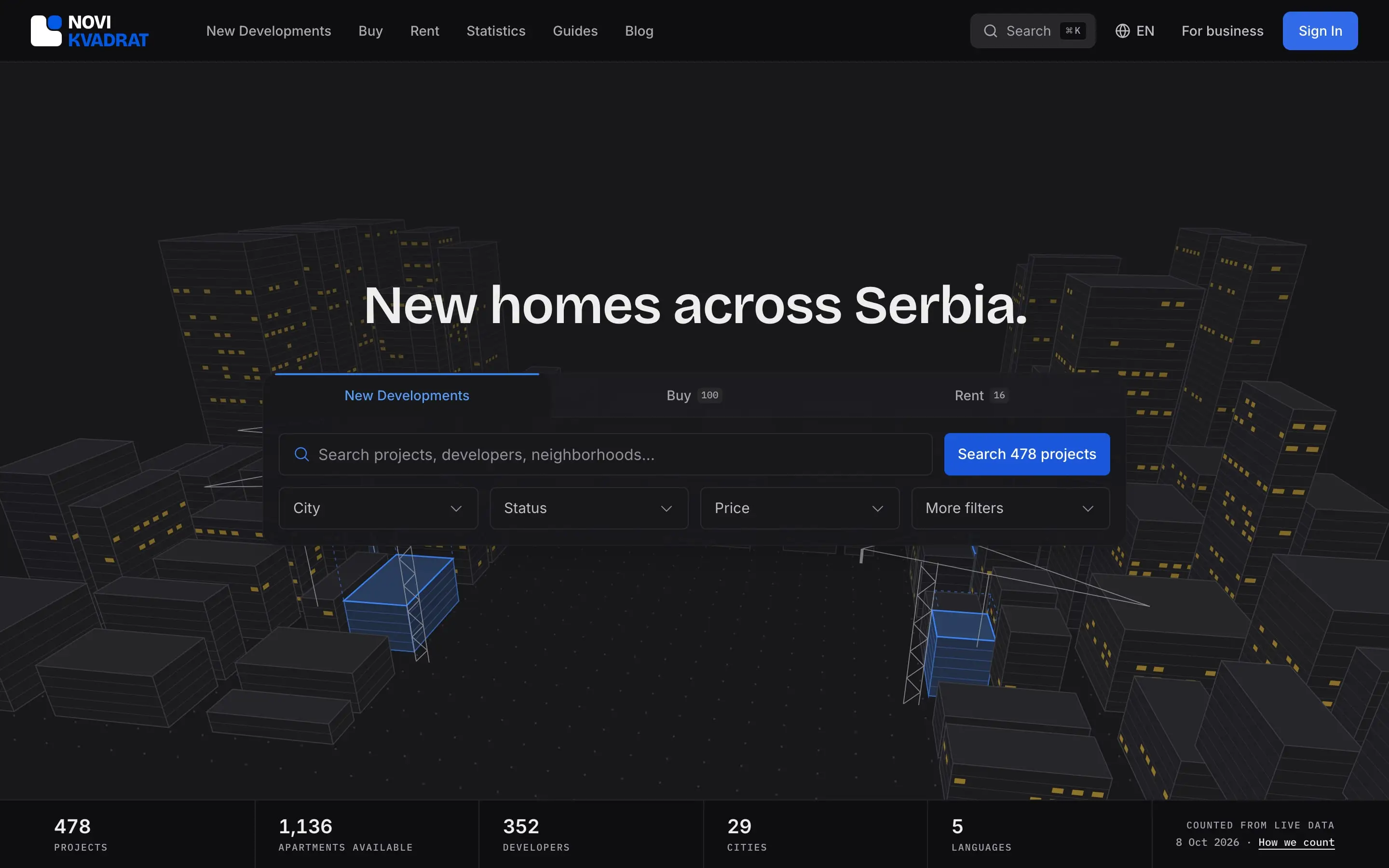
- new-build projects listed, across 29 cities
- ~480
- developers with projects on the platform
- 352
- pages
- 277
- API route handlers
- 601
Context
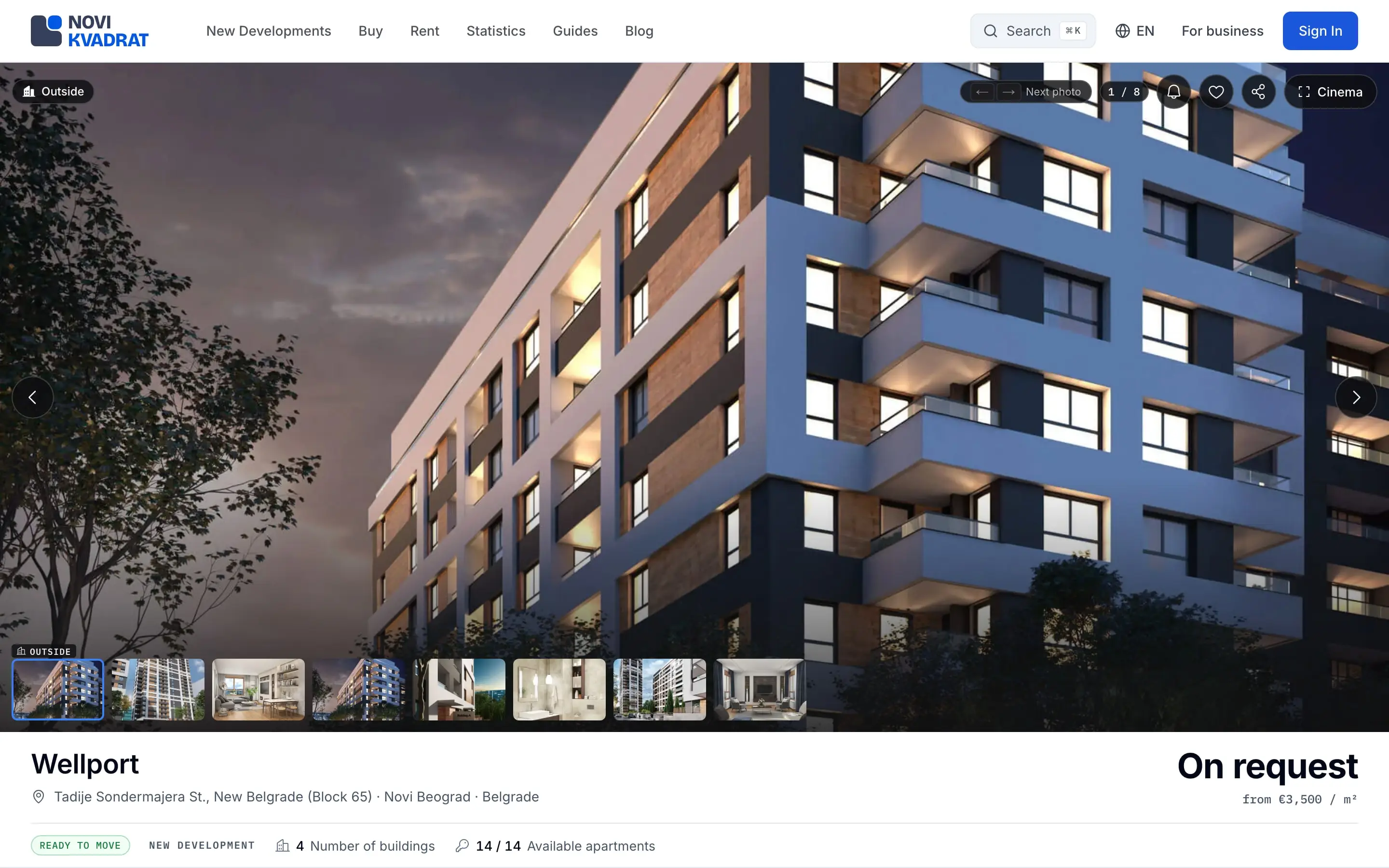
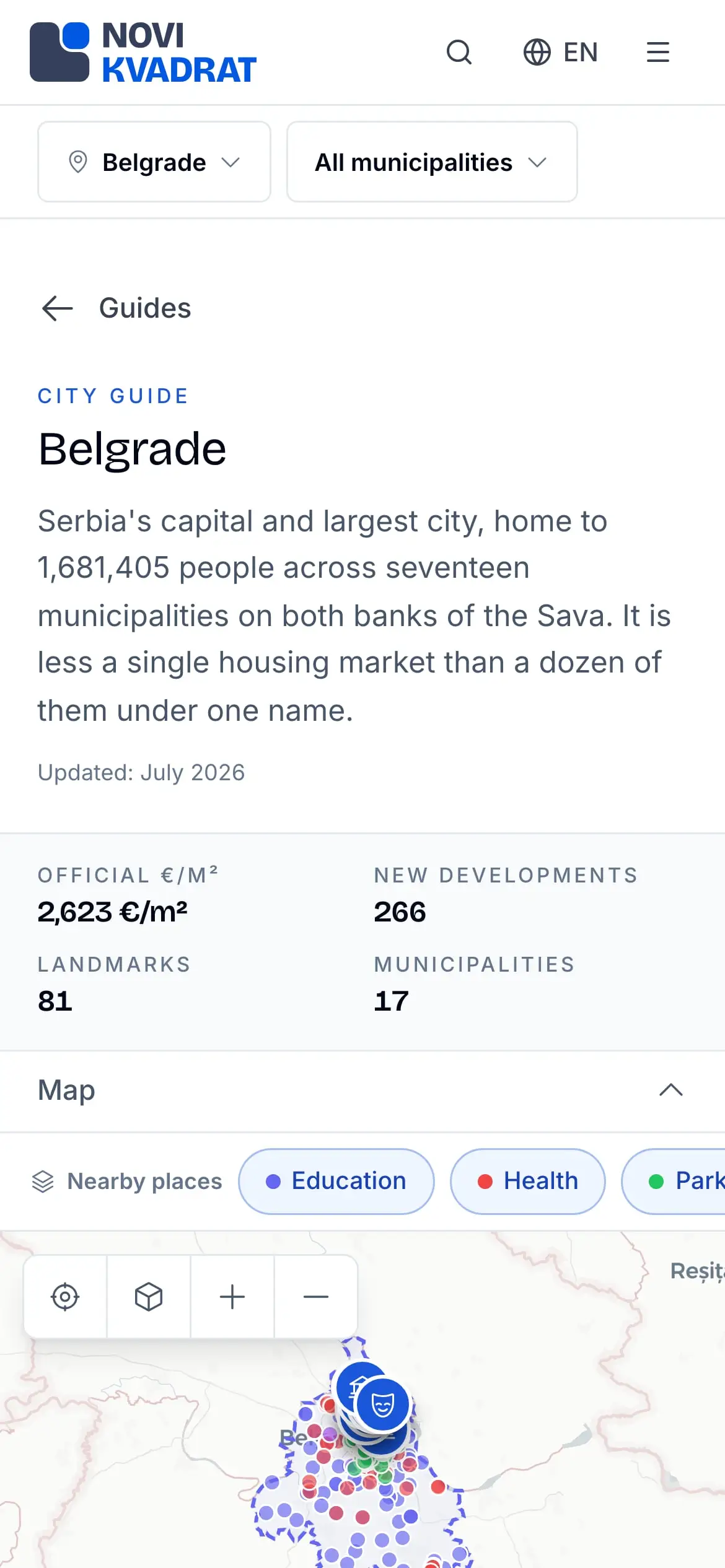
Novi Kvadrat is a property platform for Serbia, live at novikvadrat.rs: new builds, resale and rentals in one place, for the people who buy and rent and for the people who sell to them. Everything ships in English, Serbian, Turkish, German and Russian.
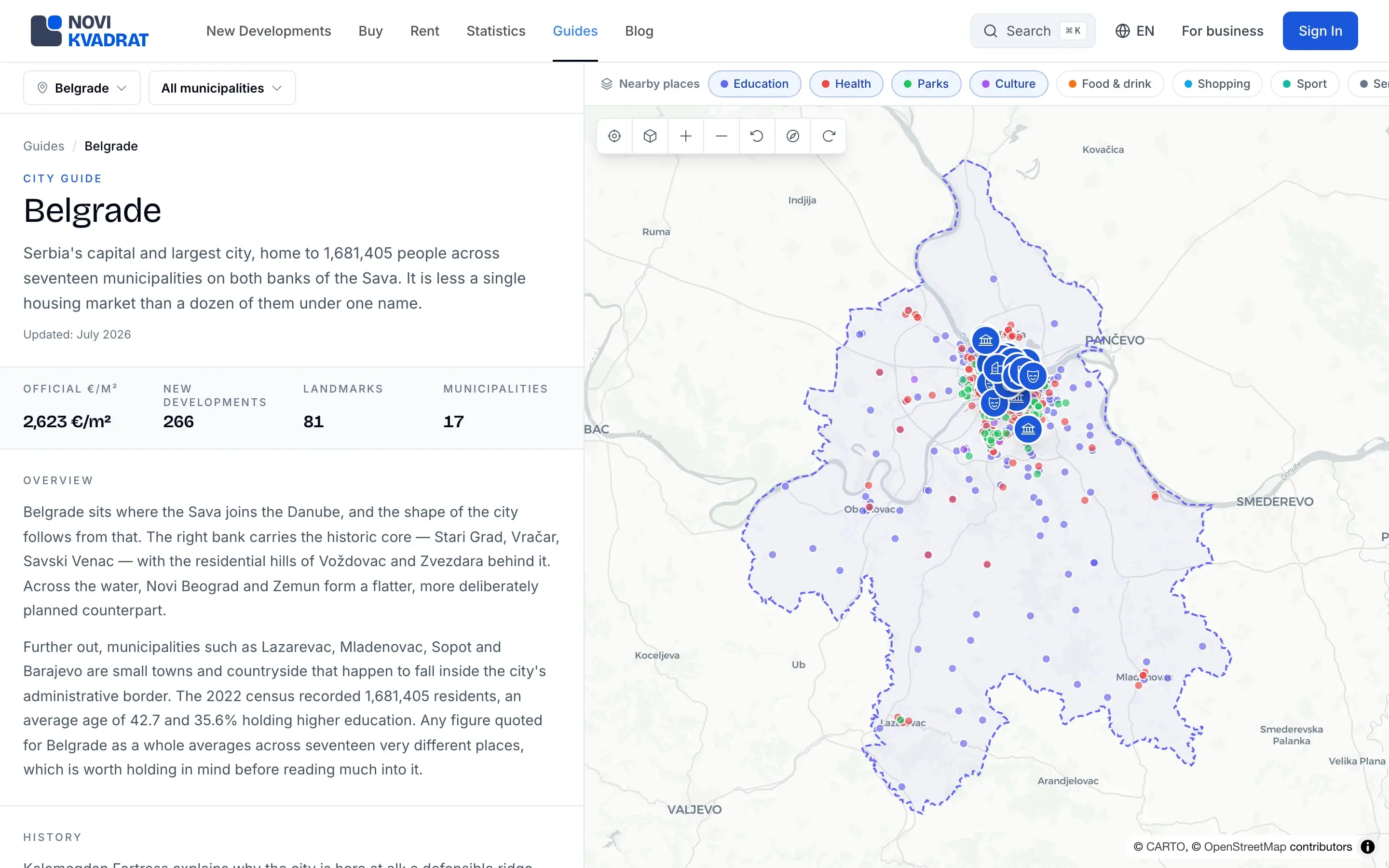
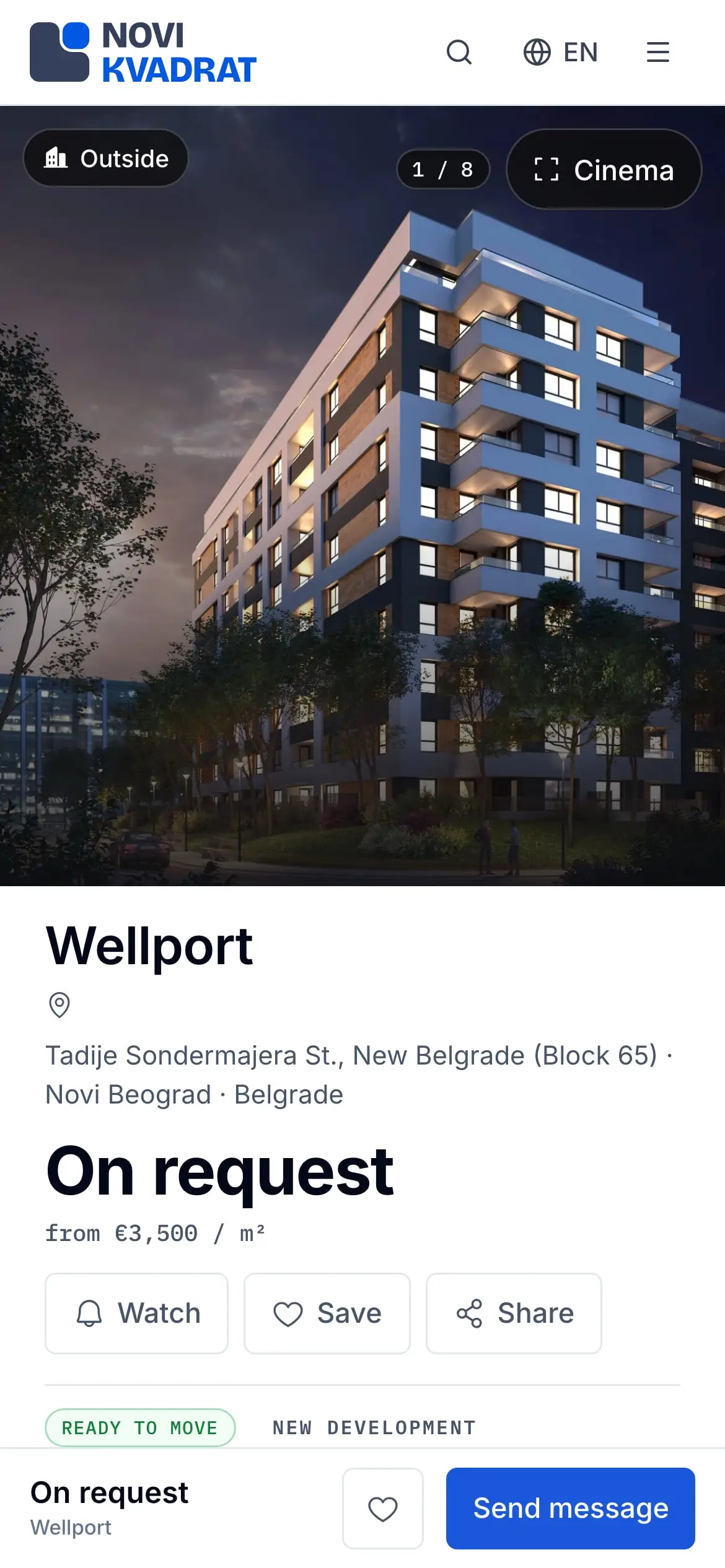
Buyers and renters browse new-build projects, sale and rental listings, official market statistics and city guides. Developers, agencies, agents and landlords publish through a business portal with inventory, a sales hub, leads, deals and analytics. Tenants get leases, invoices, inspections and maintenance, and staff run the platform from an admin console.
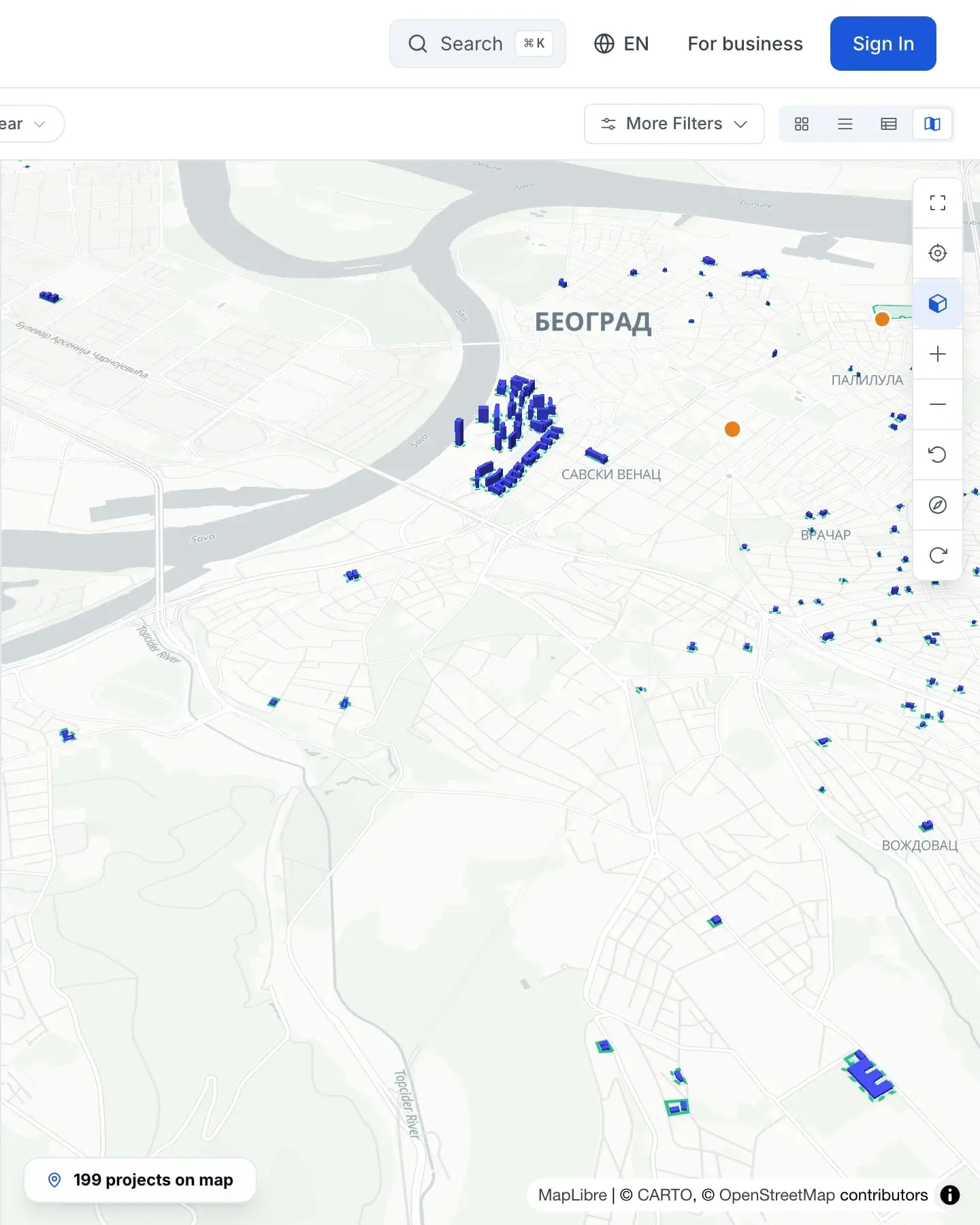
Three studios work right in the browser: one turns a floor plan into rooms, one raises 3D buildings, one draws site plans. I designed and built every part of it, from the brand mark to the database.
I’m the designer and developer in a core team of four, with a growth manager and two customer-relations leads who also run QA and content. The founder sets the product direction, the general manager steers, and the rest of the company gives feedback every week.
Constraints
- Five languages from the first release, each with its own URLs: the new-builds page is /novogradnja in Serbian and /new-developments in English, across 27 localized routes.
- Licensed drawings stay private: developers’ floor plates and site-plan sources live in private storage behind short-lived signed URLs.
- Open tooling for maps and 3D: no paid 3D services and no photoreal map tiles.
- Licences decide the data: an AI floor-plan dataset with a non-commercial licence was ruled out.
- One designer and developer for the design, the code, the data and the delivery, in a core team of four.
Architecture
One Next.js app serves every audience: the public marketplace, buyer accounts, a business portal split by kind of organization, tenant and vendor pages, and the admin console. That is 277 pages (75 on the public side, 59 in the portal, 143 in the admin console) on 601 API route handlers.
Security lives in the database. Every table has row-level security; tables only the server may touch deny everyone else, and privileged functions are locked to the server’s own role. Sessions are cookies read on the server, so no token sits in the browser’s storage.
Each redesigned screen ships as a twin of the old one behind a cookie, and tests pin the old one byte for byte until the switch. Each launch feature sits behind one constant that turns its routes, navigation, sitemap entries and teasers on or off together.
- Browsers client5 languages
- to Next.js app: cookies
- Next.js app service277 pages
- to Postgres: queries
- to Edge Function: parse query
- Cron jobs processcrons + pg_cron
- to Postgres: rollups
- Edge Function serviceAI search
- Postgres storeRLS everywhere
- Official data externalstats, registry
- to Postgres: ingest
- iOS app client · in buildSwiftUI
- to Postgres: Swift SDK
- OpenStreetMap externalopen map data
- to Postgres: footprints
Decision log
Floor plans: drawn, not recognized
- options
- train a plan-recognition model
- an in-browser editor with snapping and a polygonizer
- chose
- an in-browser editor with snapping and a polygonizer
- why
- The best public training set, CubiCasa5K, carries a non-commercial licence, so it cannot power a commercial product.
Maps and 3D
- options
- a paid 3D service
- photoreal map tiles
- MapLibre and three.js on open data
- chose
- MapLibre and three.js on open data
Image variants
- options
- paid image transforms
- a self-hosted variant generator
- chose
- a self-hosted variant generator
- why
- Each WebP variant is made on its first request, then served from the CDN.
Redesigns
- options
- switch every screen at once
- twins behind a cookie
- chose
- twins behind a cookie
- why
- The old screen stays pinned byte for byte by tests until the new one takes over.
Floor Plan Studio
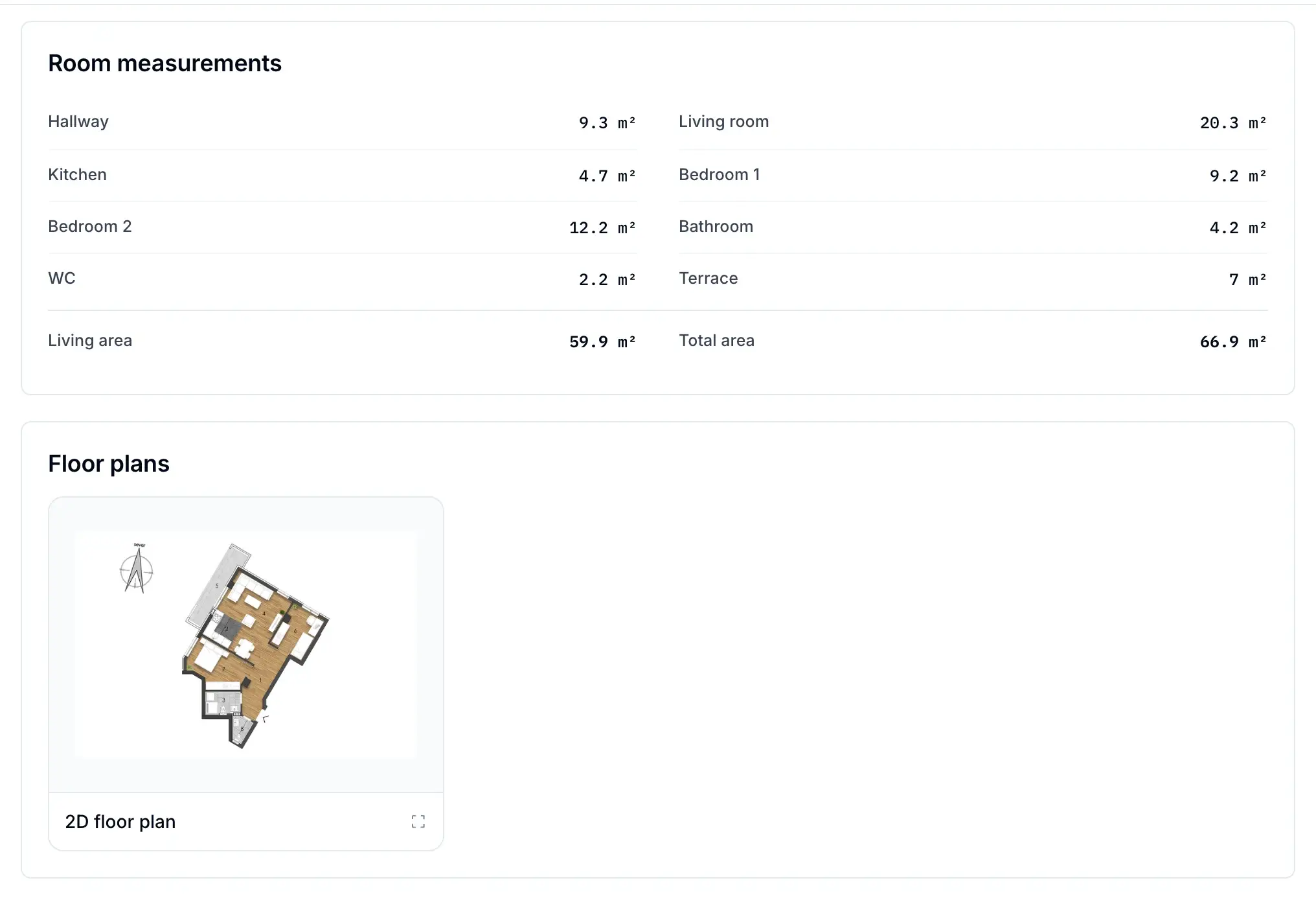
deep diveAn in-browser SVG editor turns a scanned plan into rooms with measured areas, so each photo lands in the room it shows, with its camera angle.
- Upload the plan; one line locks the scale.
- Trace the walls; corners snap to 90°.
- Closed loops become rooms, with their areas.
- Doors and windows snap onto the walls.
- Photos land in their rooms, cameras aimed.
- The plan goes live on the listing.
Walls become rooms through a planar-graph polygonizer: it walks the faces of the wall graph, orients each by its signed area and joins holes to their rooms. Photos drop into rooms by point-in-polygon tests, not bounding boxes, and each camera carries a bearing and a 45, 65 or 90° field of view, so a visitor sees where a photo was taken.
It ships in rent and sale, in the admin console and the business portal, in five languages.
rent + saleadmin + portal5 languages
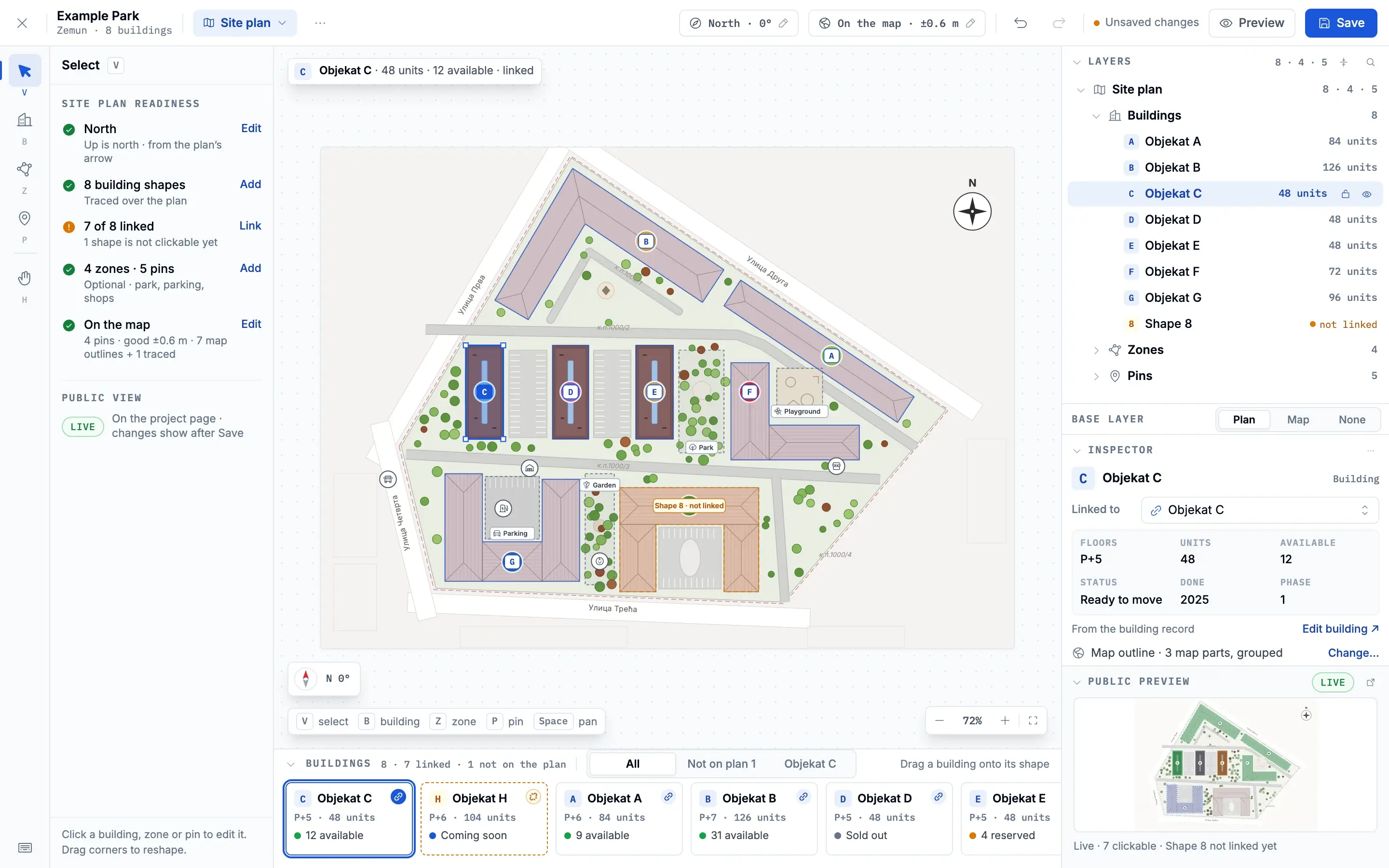
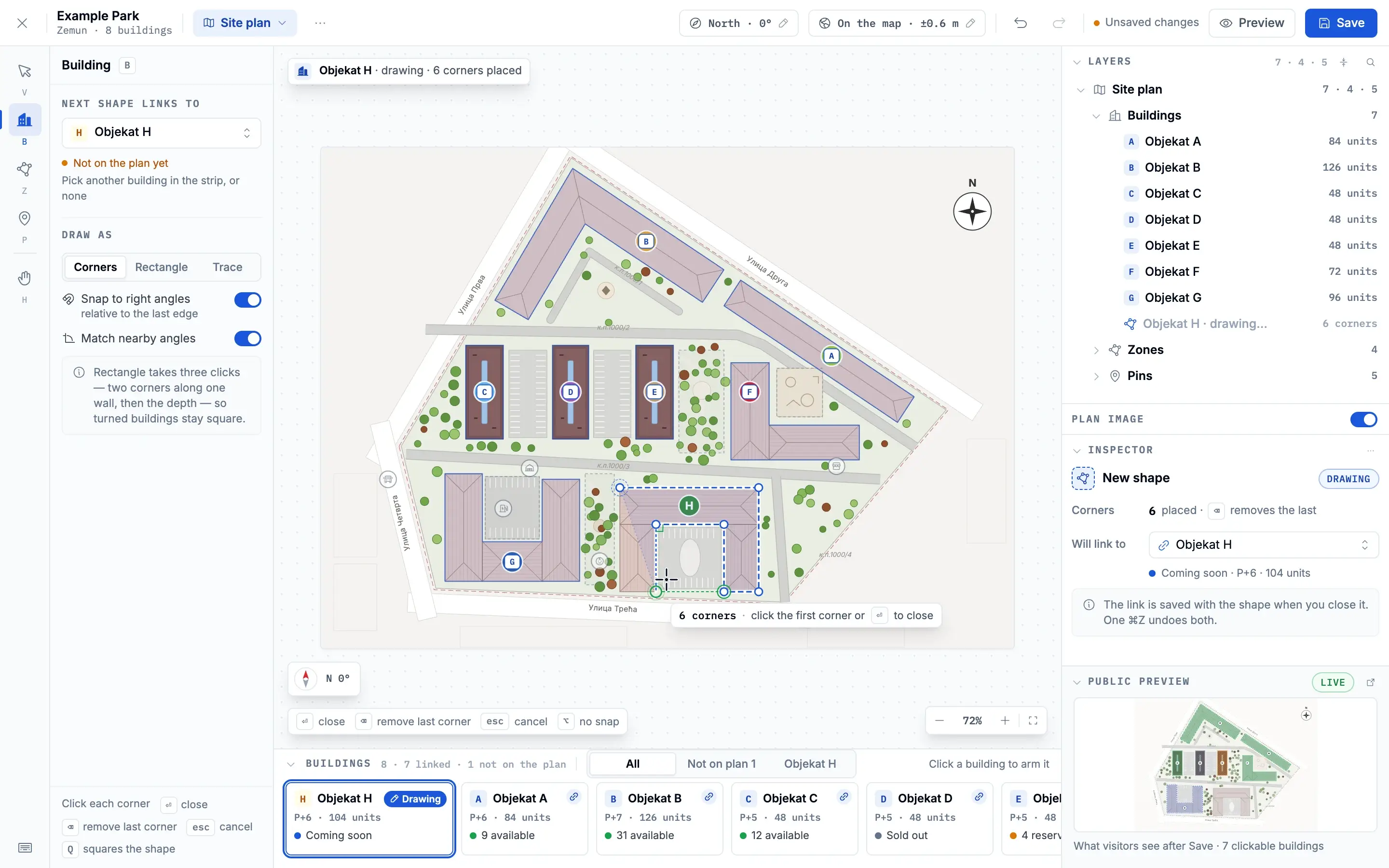
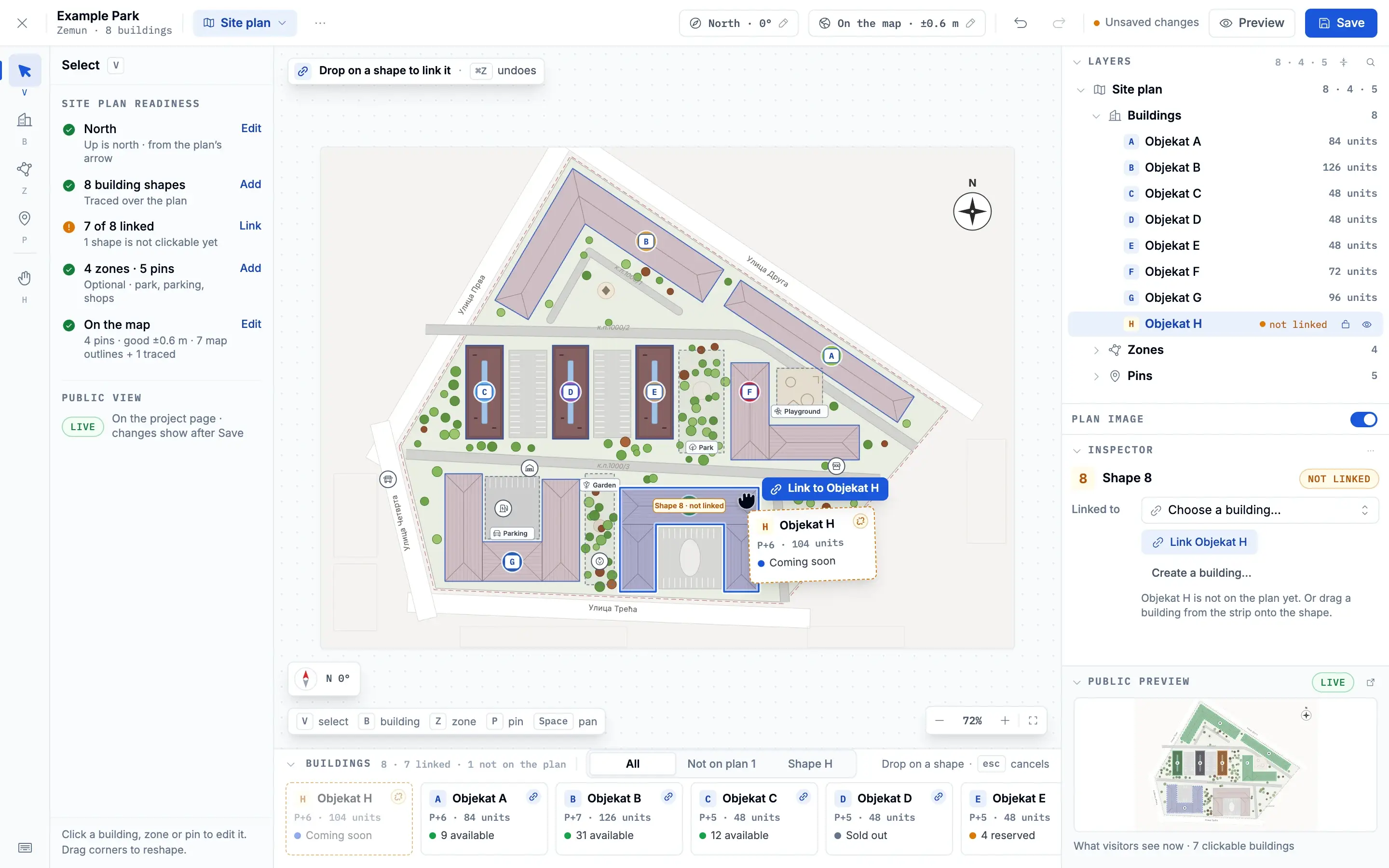
Site Plan Studio, live in the staff admin
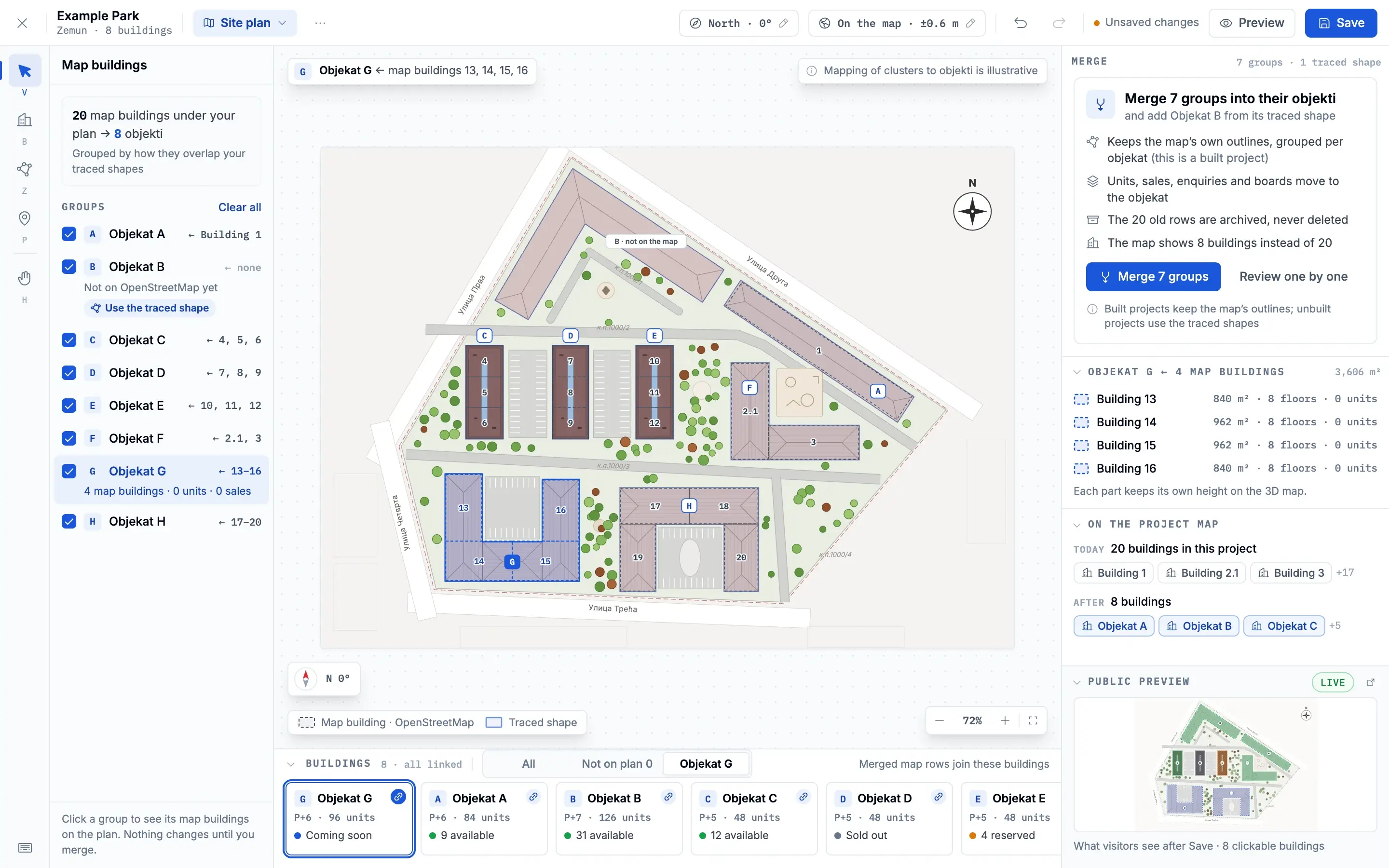
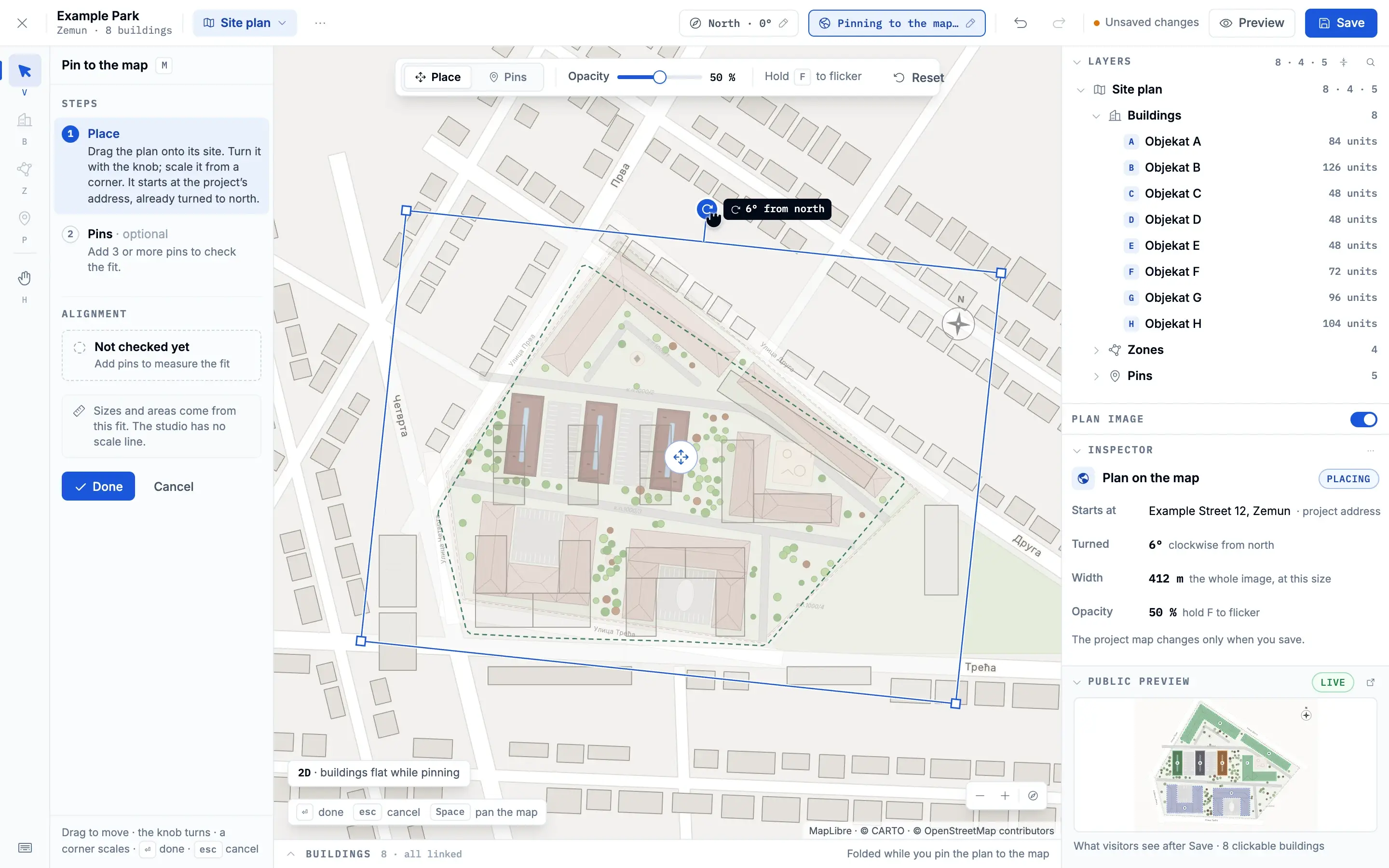
deep diveA developer sells named buildings. The map knows only outlines, often more of them than there are buildings, and none of them named. Site Plan Studio joins the two, and it is live in the staff admin.
- Upload the developer’s site plan and set north.
- Trace each building on the plan.
- Link each traced shape to its building.
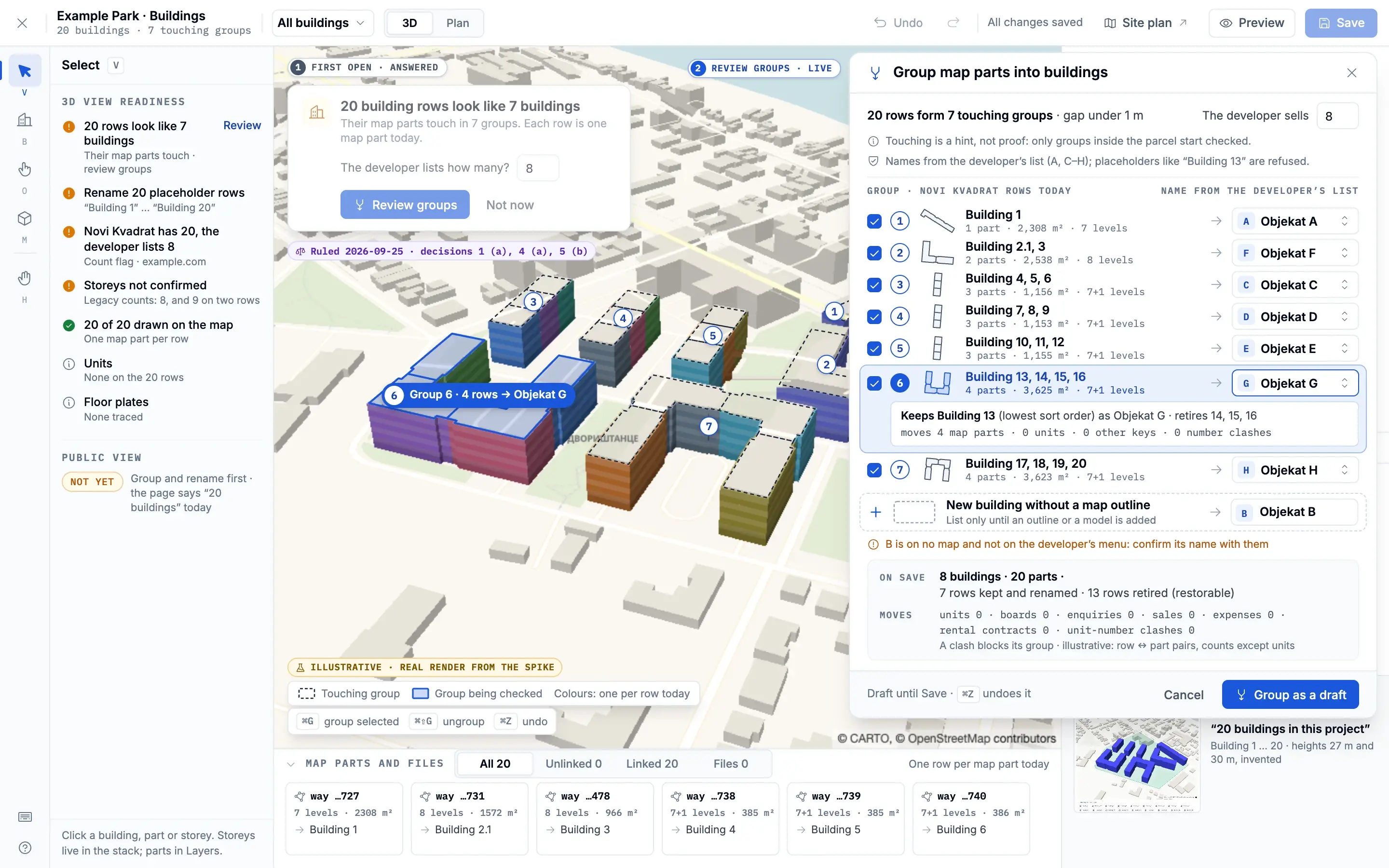
- Group the map’s outlines under the buildings they belong to.
- Pin the plan to the map.
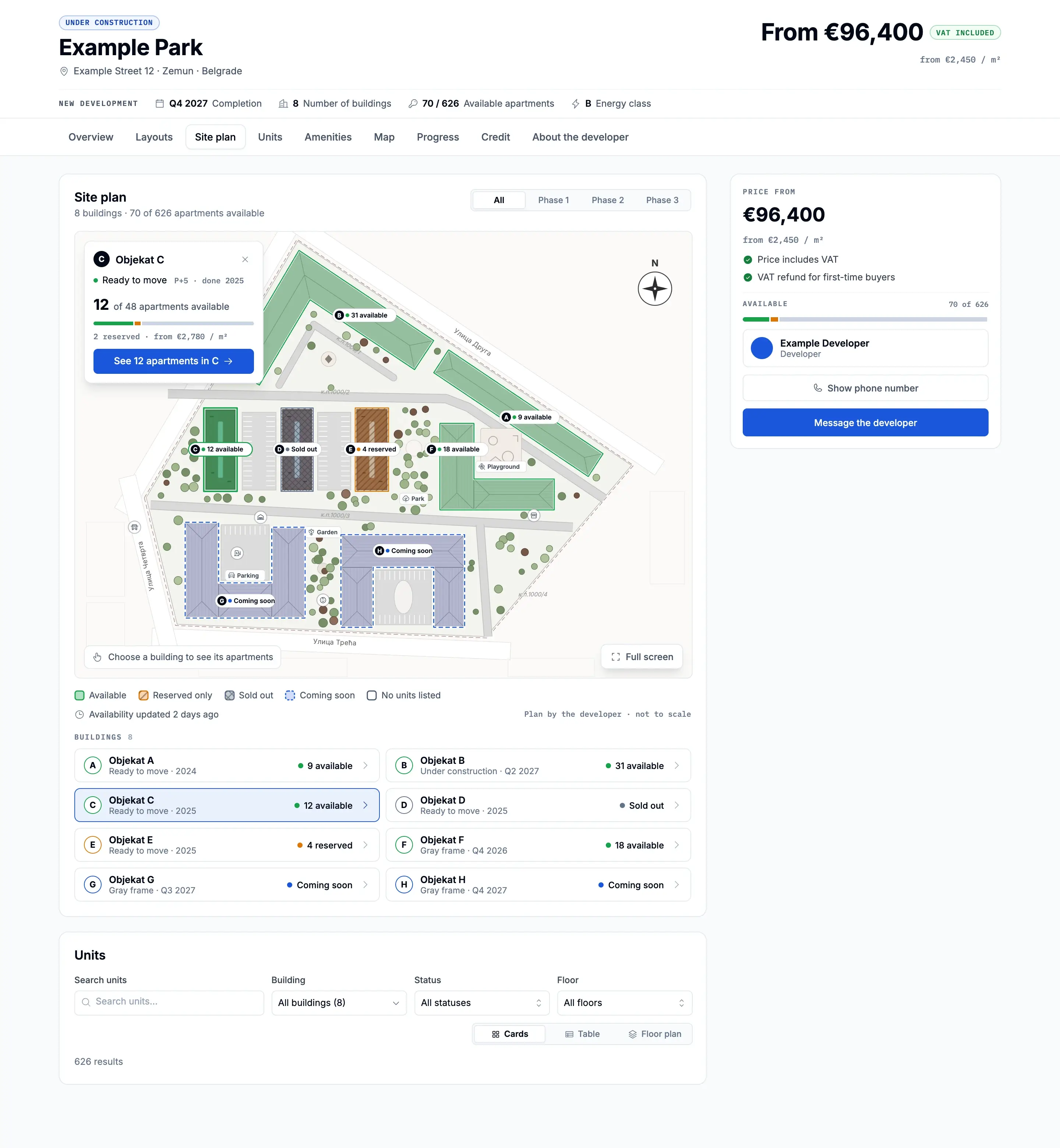
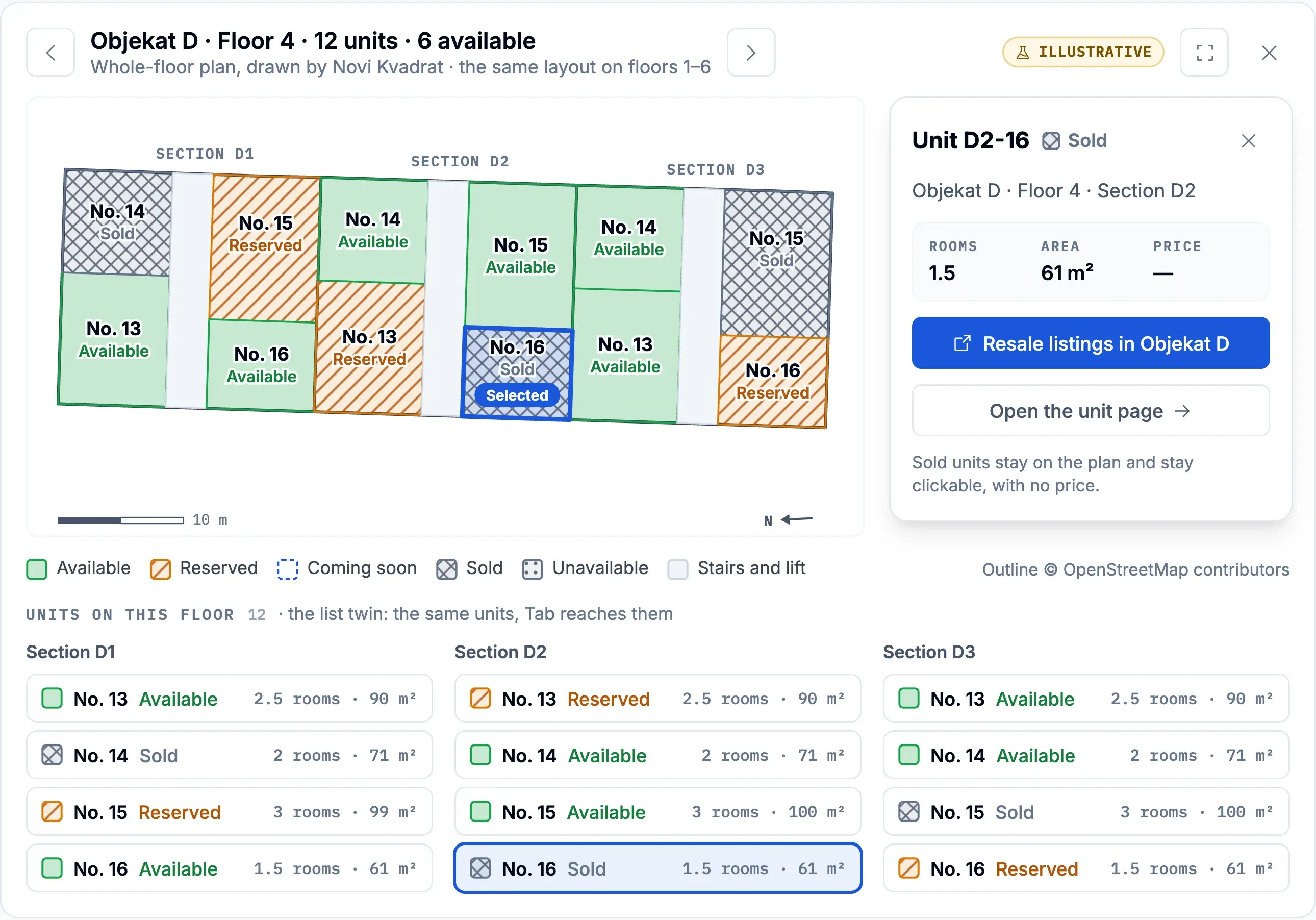
- A buyer picks a building by what is left in it.the public view is a design
Nothing on the map is thrown away: the studio groups the map’s outlines under the developer’s buildings and keeps the old rows. On the project page, the plan is meant to show every building with what is left in it, so a buyer starts from what is for sale.
3D buildings, measured before built
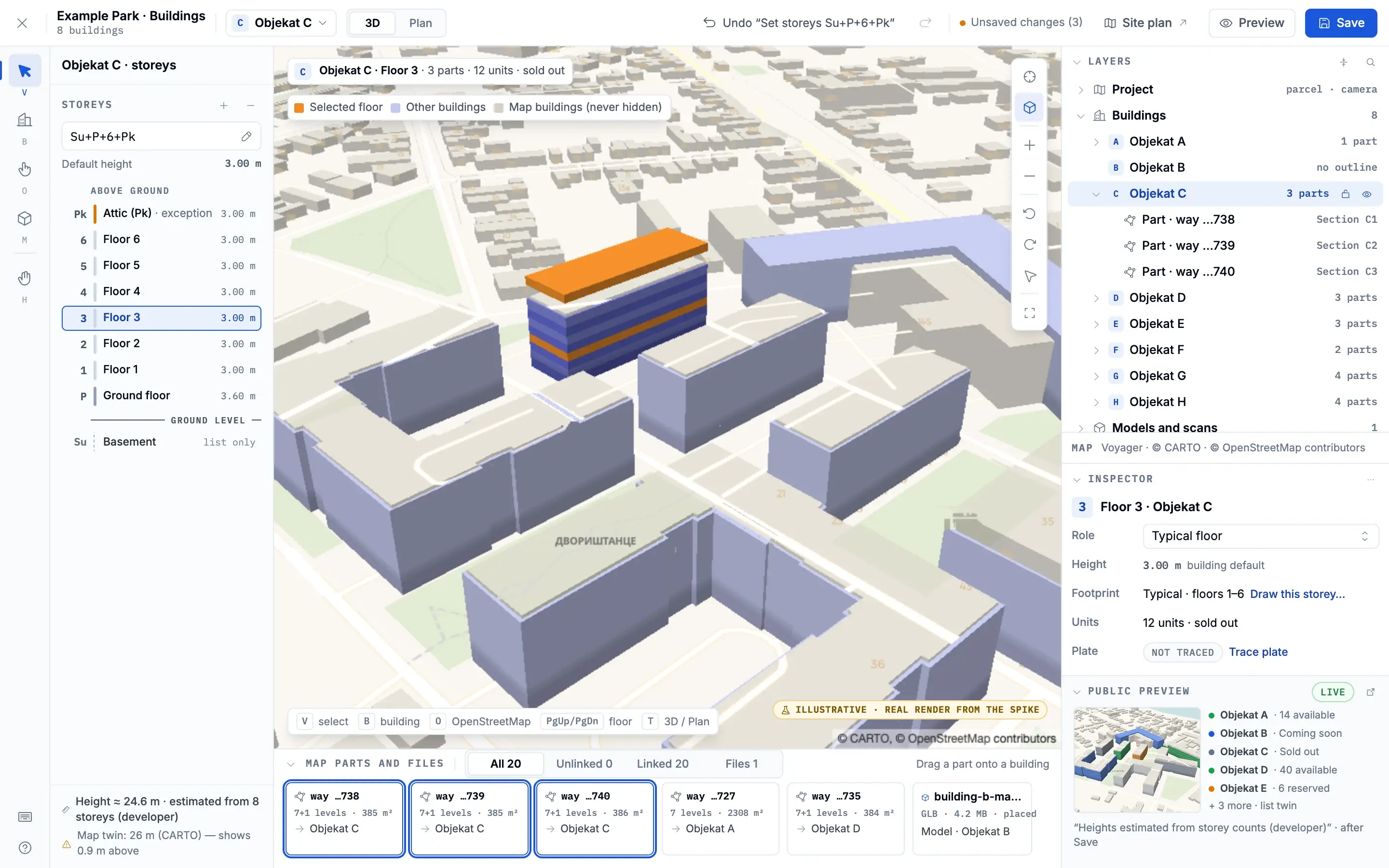
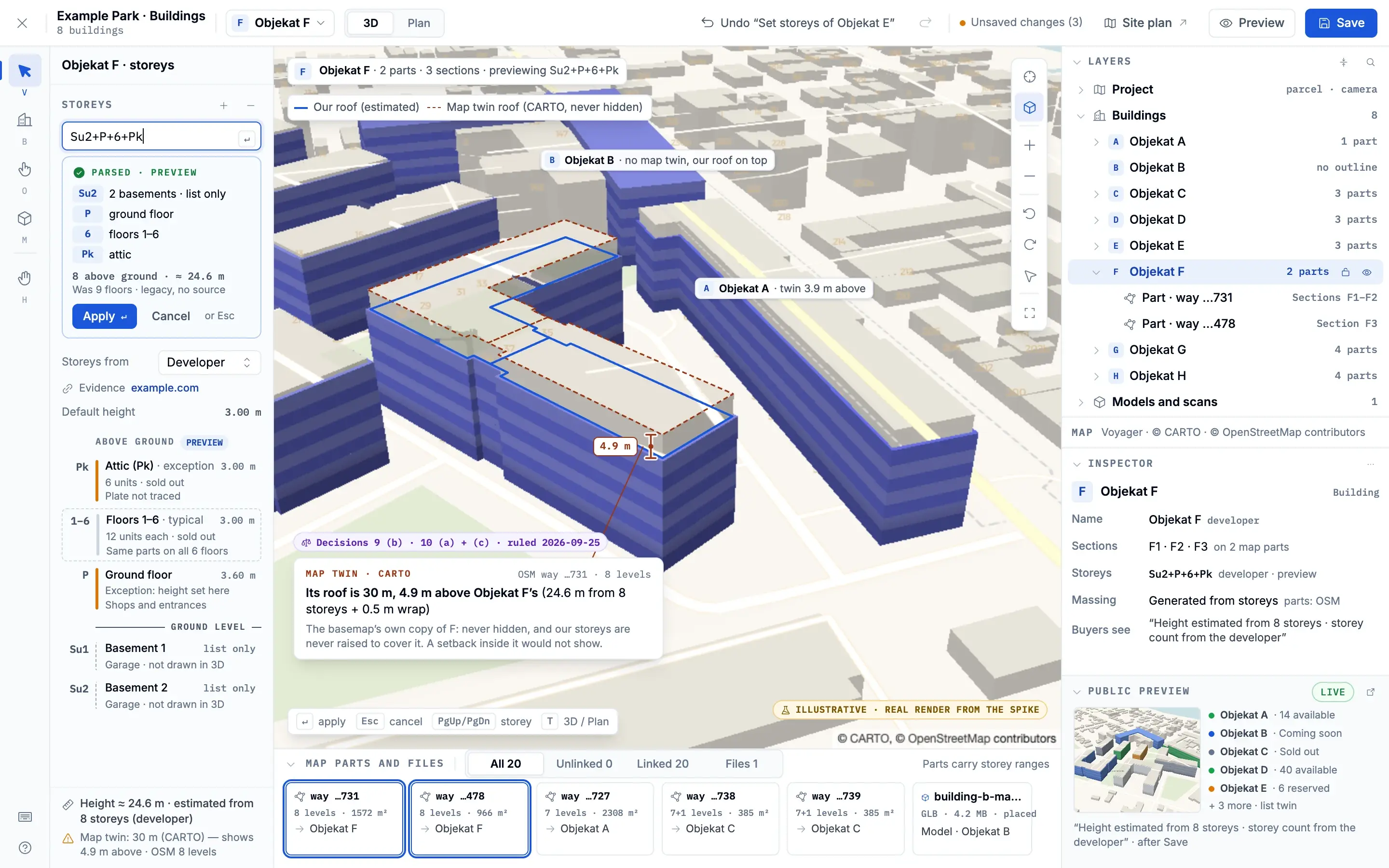
deep diveA tap on a 3D building must pick the right storey, even half hidden behind another one. The approach was measured before it was built: a throwaway spike ran 81 headless GPU runs and 199 renders.
- Building footprints come in.
- Storeys extrude, slab by slab.
- A pick ray finds the first visible storey.
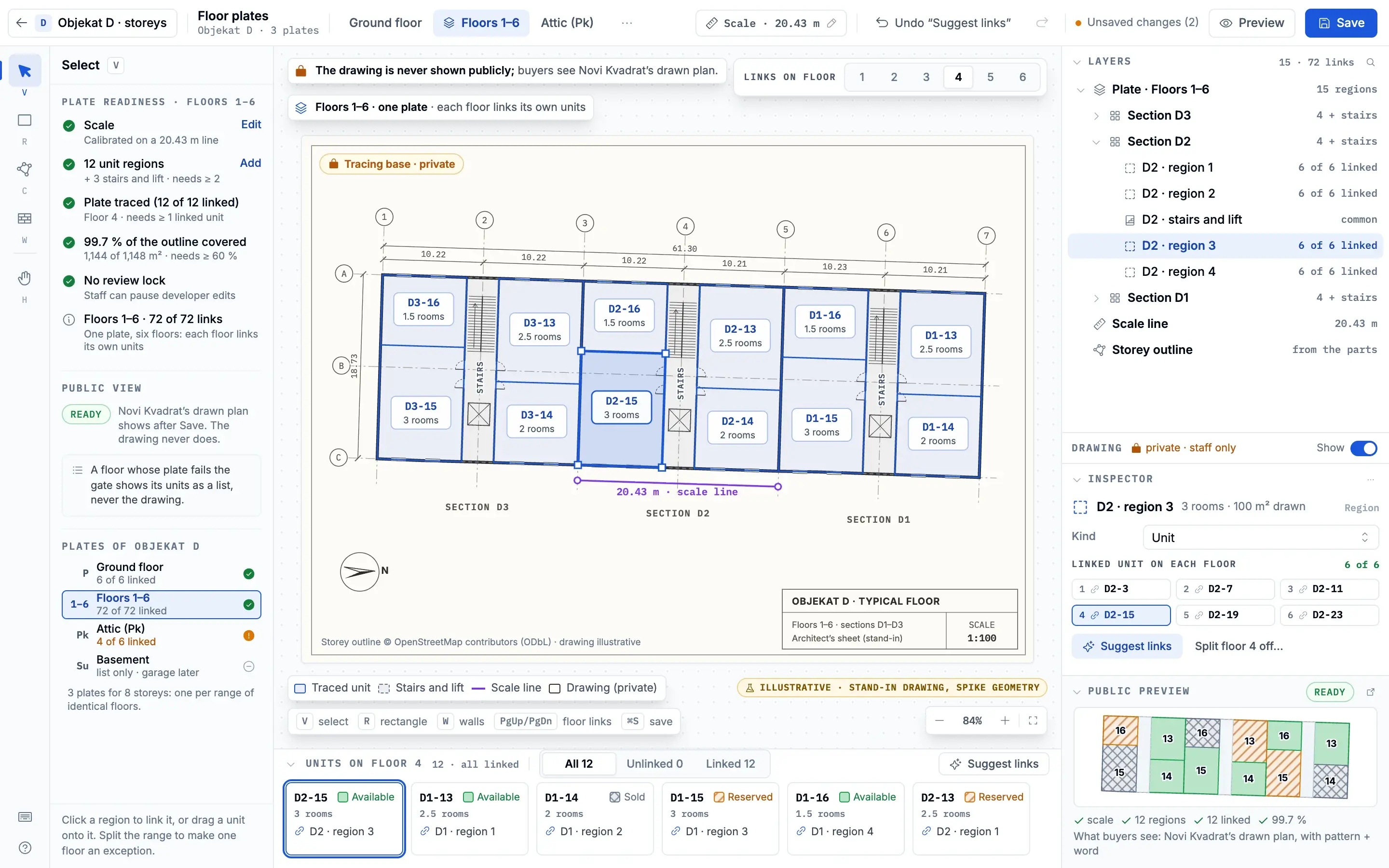
- That storey unfolds into its floor plate.
- BD0–BD9 run in the staff studio.
- The public 3D viewer waits behind a flag.
Plain map extrusions picked the correct storey 99.65% of the time; 5,400 storeys updated in about 123 ms, and a whole floor plate opened in 13 ms. The numbers come from one desktop GPU, headless, so they say nothing yet about a phone.
One bug taught the model something. On one map tile, 40 basemap features held 750 building polygons, and one feature id spanned 2.2 km, so hiding a duplicate by its id hid 17 unrelated buildings. Duplicates are now suppressed by their geometry, and the basemap is never hidden.
In the staff admin, the 3D Buildings Studio groups the map’s parts into the developer’s buildings, stacks their storeys, traces a whole-floor plate and links each storey to its units. The public viewer stays behind a flag.
correct picks 99.65%gpu runs 815,400 storeys in ~123 msfloor plate 13 ms
- OpenStreetMap externalfootprints
- to Buildings: Overpass
- Buildings processsales buildings
- to Storeys: slabs
- Storeys processone per floor
- to Floor plate: pick ray
- Floor plate serviceopens in 13 ms
- to Public viewer
- Staff studio clientBD0–BD9
- to Buildings: edit
- Dev models process · plannedGLB · flagged
- to Storeys: placed
- Public viewer client · plannedbehind a flag

AI search that never invents listings
deep diveA small model returns validated filters, never listings, and a deterministic fallback stands behind it. The model shapes the search; it never writes the results.
The query goes to an edge function with its input capped at 500 characters and its answer at 400 tokens. With no key set, the page falls back without a word. Projects also carry 1,024-dimension embeddings for semantic search.
- Visitor query client5 languages
- to Small model: raw text
- to Fallback: fallback
- Small model service500 chars in
- to Validator: intent
- Validator processserver, browser
- to Listings: filters
- Listings storelive queries
- Fallback processregex, no model
- to Validator: intent
- A question, in any of five languages.
- A small model turns it into a search intent.
- A regex covers what the model misses.
- The intent is clamped on the server and checked again in the browser.
- Results come only from live database queries.
Stack
frontend
- Next.js 16
- one App Router app for every audience
- React 19 and TypeScript
- the interface and the code around it
- Tailwind CSS
- styling under the design-system layer
- MapLibre GL
- maps and 3D buildings
- three.js
- custom 3D layers and storey picking
backend
- Supabase
- Postgres, auth, storage and Edge Functions
data
- PostgreSQL with PostGIS
- listings, geography and row-level security
ai
- pgvector
- embeddings for semantic search
- GLM-4.5-Air
- search intent from free text
- Claude Code
- multi-agent build waves
mobile
- SwiftUI
- the iOS app, in development
infra
- Vercel and Cloudflare
- hosting and scheduled jobs behind a CDN
design
- Phosphor
- one icon library across every surface
other
- Vitest and Playwright
- unit tests and visual baselines
Design
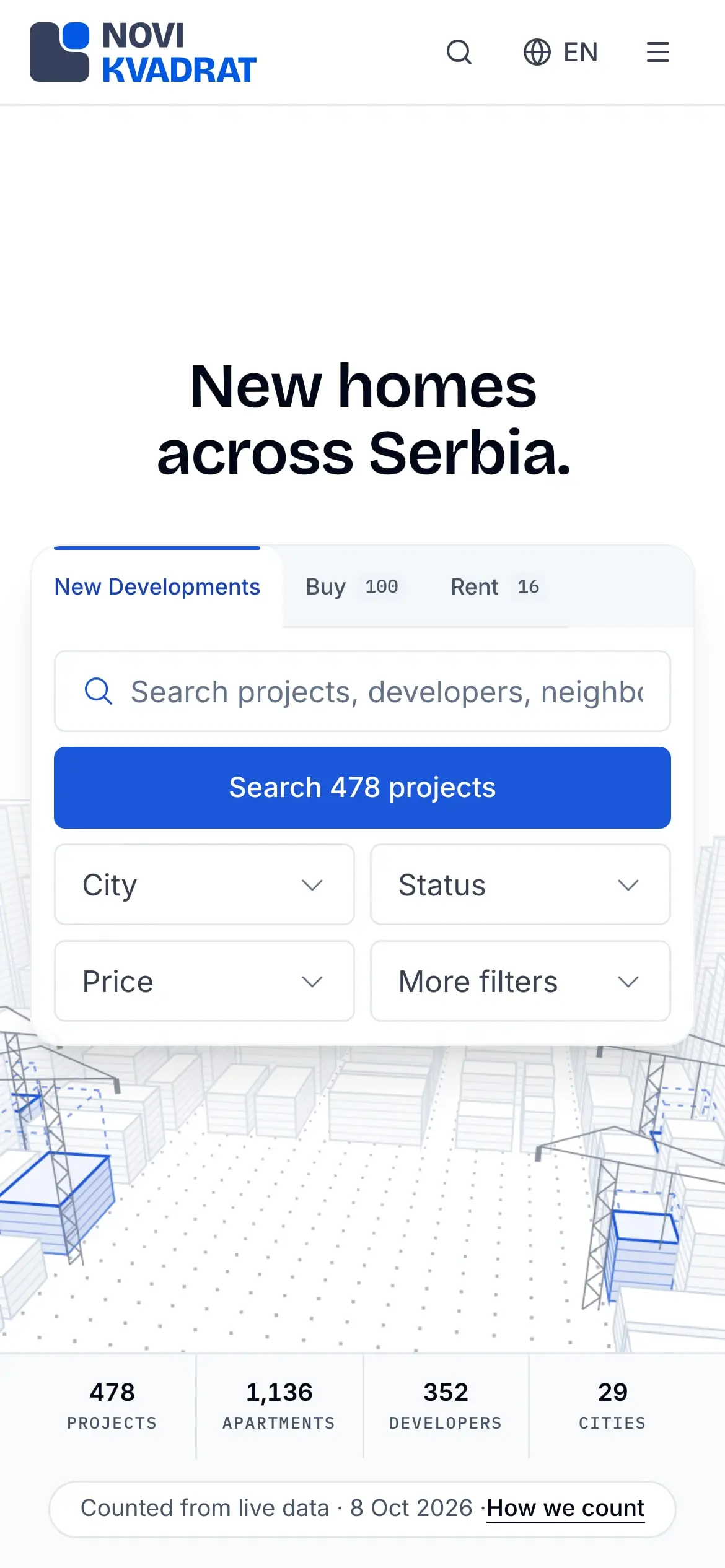
The brand mark and the app icon are mine, and so is the design system, built twice: first a 19-board, mobile-first library on canvas, then a code layer of about 350 files. Lint rules ban any colour or icon outside the system, so the marketplaces, the portal and the admin console share one visual language. 1,023 visual-regression baselines, in light and dark at 1440 and 390 px, catch any drift.
The design system has its own case: Novi Kvadrat Design System.
wc -l
as of Oct 2026- new-build projects listed, across 29 cities
- ~480
- developers with projects on the platform
- 352
- pages
- 277
- API route handlers
- 601
- lines of TypeScript
- ~1.1M
- Postgres migrations, RLS on every table
- 390
- languages: en, sr, tr, de, ru
- 5
- commits since Dec 2025
- 844
- test files
- 2,354
- visual-regression baselines
- 1,023
- SQL proofs, with 53/53 mutants killed
- 292/292
- correct storey picks in 81 GPU runs
- 99.65%
Timeline
- First commit; design and build begin
- City and area guides launch34 guides, AI-drafted
- 3D buildings BD0–BD9 deployedthe public viewer waits behind a flag
How it was built
Built in waves: I write the code with AI agents, the two customer-relations leads run QA on what lands, and the company’s weekly feedback steers the next wave. 844 commits since December 2025, about 9 in 10 co-authored with Claude. A lead session freezes the contracts, builder agents work in parallel, reviewers on a different model check their work, and hard gates decide what lands.
The tests were tested too: the SQL proofs pass 292 of 292 checks and caught all 53 planted mutants. A production build is a required gate, ever since type checks and unit tests missed a server-only module leaking into the browser bundle.
- lead session
- builder agents
- reviewerson a different model
- hard gates
Status and next
Live today in five languages. What comes next is drawn faint until it ships.
- live at novikvadrat.rsrent + sale · admin + portal
- public 3D viewerbehind a flag
- developer modelsbehind a flag
- SwiftUI companion appin development